Airport
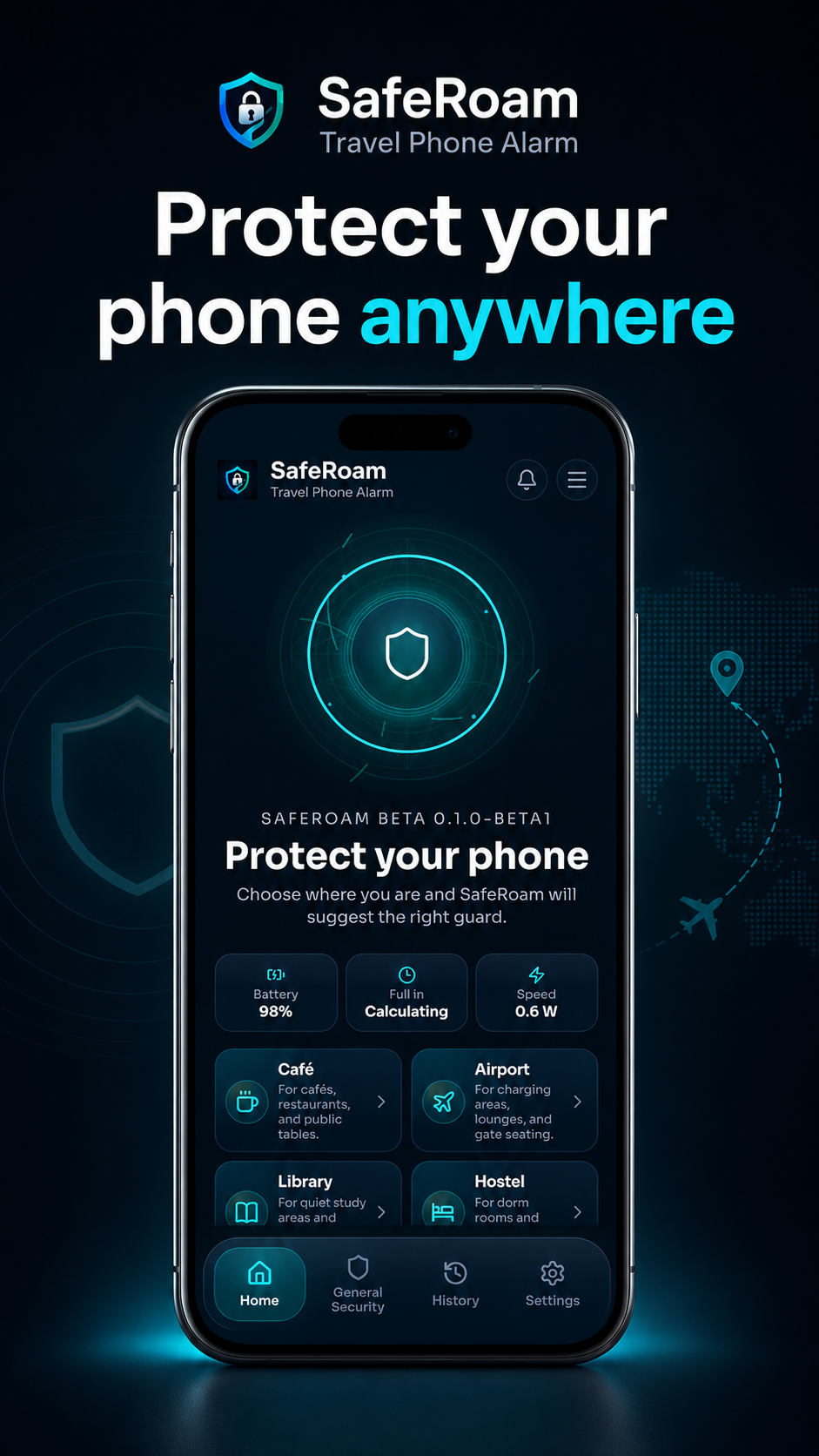
Protect your phone while charging near gates, lounges, and public charging areas.

SafeRoam v1.2 · Android
Travel phone alarm
SafeRoam is a local Android phone alarm built for airports, cafés, hostels, trains, hotels, libraries, and shared workspaces.
Choose where you are, arm your phone, and SafeRoam alerts you if it is unplugged or moved before you disarm it.
Travel presets
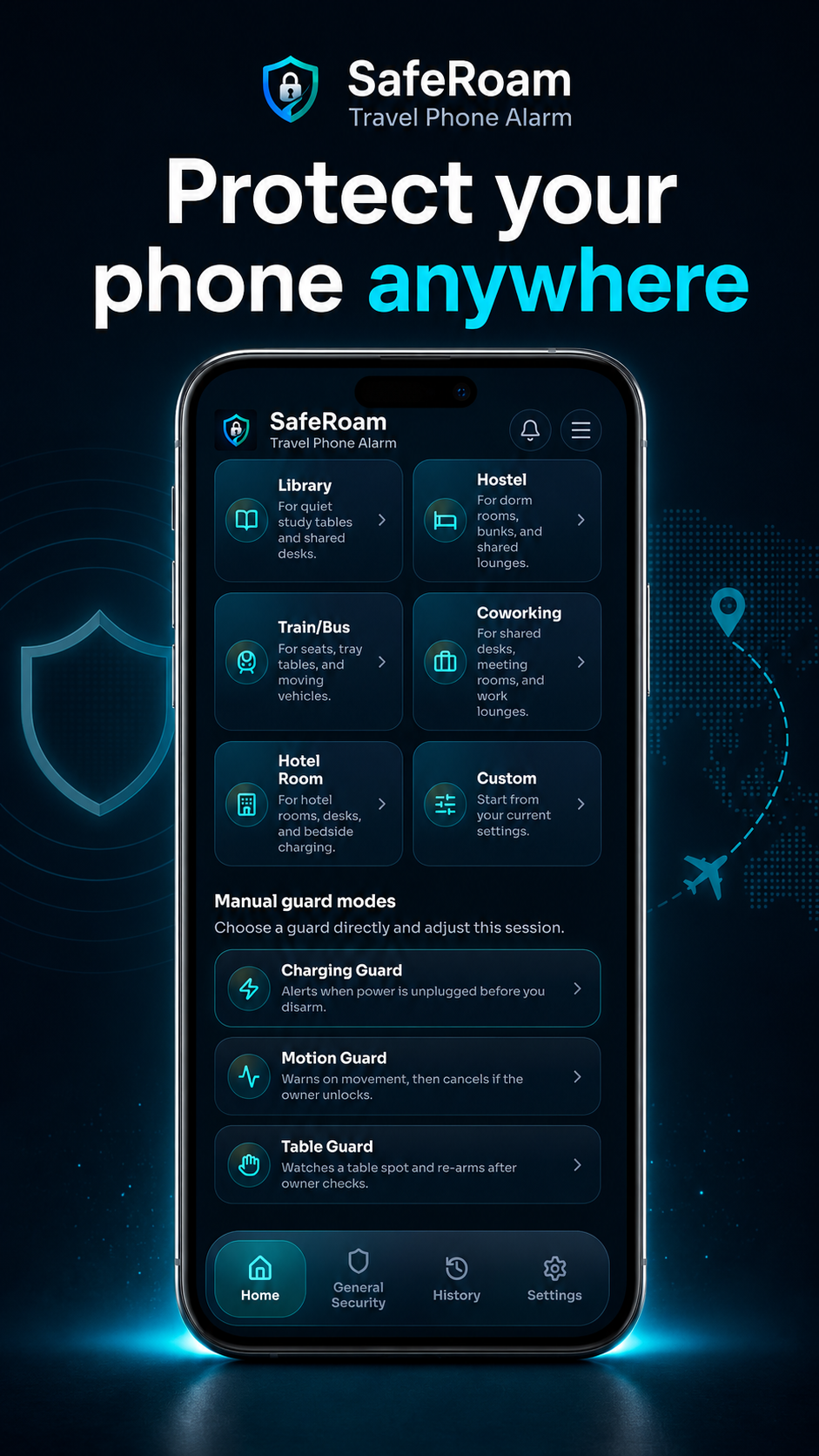
You do not need to understand sensors or configure everything manually. Choose a preset and SafeRoam recommends the right guard, alarm delay, motion sensitivity, and vibration settings for the situation.
Protect your phone while charging near gates, lounges, and public charging areas.
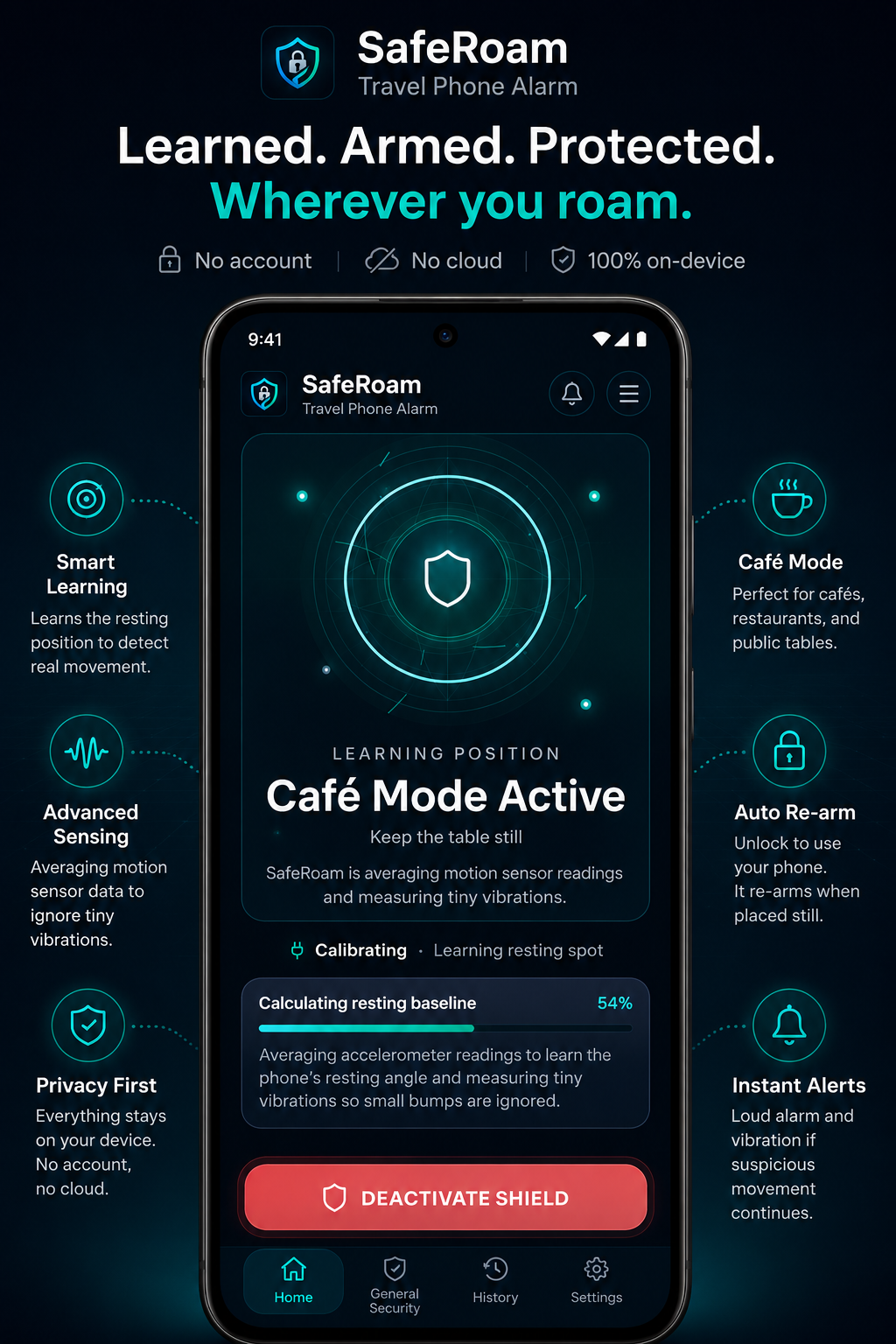
Watch a phone resting or charging on a café or restaurant table.
Add a local alarm while your phone is beside your bed, on a bunk, or charging in a shared room.
Use movement settings designed for tray tables, seats, and vehicles already in motion.
Protect a phone resting on a quiet study table or shared desk.
Stay aware of movement around shared desks, meeting rooms, and work lounges.
Watch your phone while it charges on a desk, bedside table, or shared hotel surface.
Choose the guard and configure the session yourself.
Guard modes
Arm SafeRoam while your phone is connected to power.
If someone disconnects the charger before you disarm it, SafeRoam starts your selected warning delay and triggers the alarm unless the phone is reconnected or unlocked by you. Ideal for airports, cafés, hostels, hotels, and public charging stations.
Place your phone down and let SafeRoam learn its resting position.
SafeRoam filters small bumps and normal vibration, but reacts when the phone continues moving unexpectedly. Owner unlock grace gives you time to pick up your own phone without immediately triggering the alarm. When the phone becomes still again, the guard can automatically re-arm.
Protect a phone resting on a café table, shared desk, counter, tray table, or nearby surface.
SafeRoam watches for the phone being lifted, slid, or carried away and alerts you when suspicious movement continues. Sensitivity can be adjusted for quiet rooms, busy tables, and moving vehicles.
When protection breaks
SafeRoam is built to get your attention quickly when a protected condition is broken.
Start instantly or after a short warning delay.
Loop the selected alarm sound repeatedly.
Draw attention even in a noisy environment.
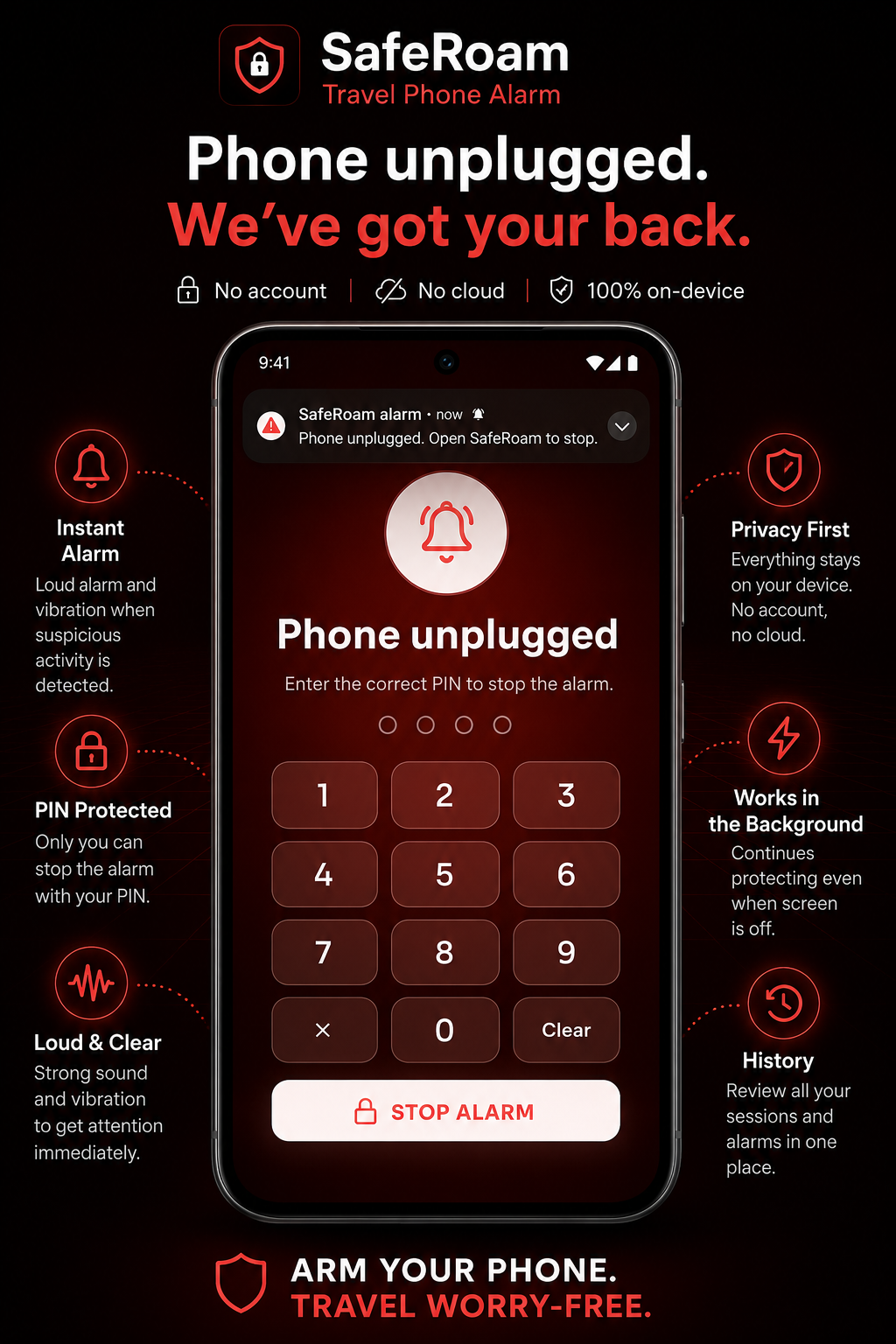
Show an alarm screen and phone notification that may mirror to a compatible smartwatch.
Require your PIN or enabled biometrics to stop the alarm. Wrong PIN attempts do not silence it.
Everyday controls
Practical controls help SafeRoam work across different phones and environments.
Choose instant, 3-second, 5-second, or 10-second alarm delays and low, medium, or high motion sensitivity.
Choose Classic, Pulse, Siren, or Beacon, and test your selected sound before relying on it in public.
Optionally enable Charging Guard to arm automatically when your phone is connected to power.
See battery level, charging speed, and estimated time to full during supported Charging Guard sessions.
Review recent armed, disarmed, and triggered events directly on your phone.
Confirm your PIN, notifications, background behaviour, battery settings, and optional biometrics before your trip.
Private by design
SafeRoam performs its core protection directly on your Android phone. It does not require:
An account
Cloud control
GPS or location tracking
Camera access
Microphone recording
Contacts or SMS access
A constant internet connection
Your PIN, guard settings, active sessions, preferences, and guard history remain on the device. SafeRoam can continue protecting your phone when travelling without Wi-Fi, mobile data, or a reliable network.
Important limitation
SafeRoam is designed to alert you and the people nearby when your guarded phone is moved or unplugged. It does not:
Physically prevent theft or track a stolen phone
Identify the person who moved it or contact emergency services
Block airplane mode or stop someone from powering the phone off
Alarm and notification behaviour may vary depending on Android version, manufacturer restrictions, notification permissions, volume settings, battery optimization, and device configuration.
Choose a travel preset, arm the recommended guard, and let SafeRoam watch your phone locally.